At four addresses a proxy appliance is a device. At sixteen it is shared infrastructure, and the questions change accordingly: where the aggregate bandwidth leaves the building, how the enclosure dissipates the heat of sixteen radios transmitting, and how an address whose behaviour is degrading is identified before a workload notices.
This guide covers the density tier: what changes at sixteen addresses, how to budget aggregate bandwidth and plan the outbound path, what density does to thermal behaviour, how to monitor address health rather than device health, and what to verify at acceptance.
What changes at sixteen addresses?
It becomes a shared service rather than a device.
The change is in what the deployment has to support, not in what each port does.
Three properties appear at this tier. The estate can be partitioned, giving separate groups of addresses to separate teams or workloads without leaving any of them with a single point of failure. The aggregate matters more than the individual port, because the constraint shifts from per-address behaviour to what the whole appliance and its path can carry. And the deployment acquires an operational dimension, because sixteen addresses generating telemetry produce more information than one person can follow without instrumentation.
Each of those is a management problem rather than a radio problem, and each is addressed at the layer above the device. The protocol itself is unchanged: a connection-level proxy defined in RFC 1928, carrying TCP traffic without interpreting it, which is what allows one estate to serve clients that speak different application protocols.
How much aggregate bandwidth does it need?
Aggregate peak measured, not the sum of maxima.
Planning against the arithmetic sum produces an over-specified and idle circuit.
The method is the same as at smaller tiers applied to a larger number: measure one port’s sustained throughput on the target network, apply a concurrency factor measured on the same network, and add headroom for management traffic on a separate path. At sixteen ports the concurrency factor matters more, because the operator schedules the radios and the proportion transmitting simultaneously is usually well below the port count.
Connection count is a separate budget from bandwidth, and it is the one that catches deployments out. Sixteen radios can carry a very large number of simultaneous TCP connections, and the constraint is usually the session table on the routing device rather than the cellular link. A router sized for throughput alone will drop connections under a high session count while bandwidth remains available, which presents as intermittent failures that look like network problems.
The private ranges that should stay inside your network are defined in RFC 1918, the translation behaviour on the path is described in RFC 3022, and both are worth referencing when the arrangement has to be stated in a security review.
How do you plan the outbound path?
Separate the workload, management and update paths.
Three logical paths exist, and sharing them creates failure modes that are difficult to diagnose.
The workload path carries client traffic and should be sized from the aggregate measurement. The management path is how administrators reach the device, and it should not depend on the same link, because a saturated workload path would otherwise delay management access precisely when somebody needs to investigate it. The update path is how firmware and configuration reach the device, and it is the one most often left to chance.
Where the three share a single circuit, a diagnosis takes longer because the traffic being investigated and the tool used to investigate it are in competition. Separating them costs one more network path and removes that class of problem entirely.
The translation question belongs here as well. Where the deployment requires that the address observed by the far end is the mobile address, the translation layer must preserve it rather than replace it, and the only reliable test is from outside the network with an endpoint that reports the observed address.
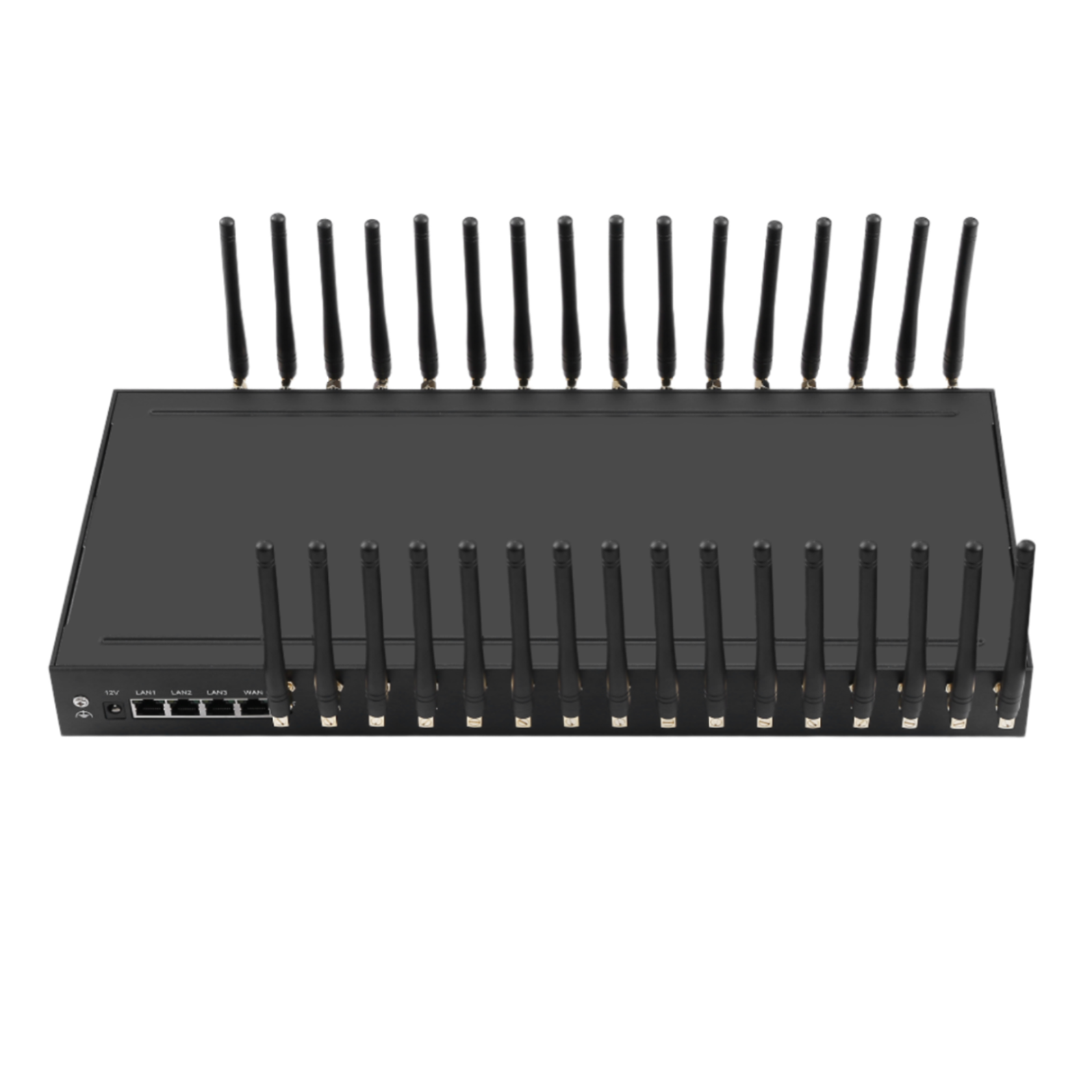
What does density do to thermal behaviour?
Heat builds at density; verify after steady state.
A device that runs cool during a benchmark may behave differently after hours at load in a warm enclosure.
The mechanism is straightforward: a radio that runs warmer than its design envelope may deregister, throttle or behave unpredictably, and the symptom appears as an intermittent network issue rather than as a hardware fault. Because the effect builds over time, it is frequently misattributed to the operator.
Three practices reduce the risk. Leave vertical space between populated units so air can move rather than being trapped. Confirm the intake temperature rather than the room temperature, because the two differ substantially in a populated cabinet. And verify behaviour after a sustained load run at the installed position rather than extrapolating from a bench test. The widely used environmental guidance for data processing environments published by ASHRAE is a reasonable reference when the operating envelope has to be stated in a specification, and the environmental test standards published by the International Electrotechnical Commission cover the equipment side.
Antenna arrangement belongs in the same plan. Radios in close proximity can interfere with one another on overlapping bands, which reduces effective throughput without changing the signal reading, and the effect is measurable only under load. Establishing antenna spacing and orientation empirically at the installed position is what turns that from a discovery into a configuration choice.
How should address health be monitored?
Per-address outcome, not a single device figure.
The metric that predicts a workload problem is the behaviour of individual addresses rather than the state of the appliance.
Four figures are worth collecting. Requests succeeded per address, which surfaces an address whose behaviour is degrading before it becomes a failure. Latency per address, because a single slow address affects only the clients pinned to it. Rotation events per address, since an address rotating more often than its policy implies indicates a problem with that address rather than with the policy. And connection failures categorised by type, which distinguishes a network condition from an application one.
Alerting on the first figure is the change that most improves operability, because an address whose success rate is falling is still working and will not appear in any device-level health check. Where the estate serves several clients, attribution per address also allows the effect of a change to be measured against a baseline rather than inferred.
What should the acceptance test cover?
Identity per port, then sustained load.
Density changes what the acceptance test has to establish, because a fault affecting one port out of sixteen is easy to miss.
- Identity per port. Confirm each port presents the address documented for it, tested from outside the network.
- Authentication. Confirm an unauthenticated request is rejected on every port rather than only on the one tested.
- Partition verification. Where the estate is partitioned, confirm each group reaches only its own addresses.
- Sustained load. Run every port concurrently for long enough to reach thermal steady state, then repeat the identity check.
- Aggregate measurement. Record the measured aggregate throughput and the connection count reached, as the baseline for later comparison.
- Management independence. Confirm the management path remains usable while the workload path is saturated.
Items four and six are the ones that separate a bench result from a deployment result. A device that passes at idle and degrades under sustained load presents as an intermittent network problem, and a management path that depends on a saturated workload path makes that problem harder to investigate than it needs to be.
What should be recorded at handover?
Address map, rotation policy, thermal baseline.
The record is what allows a fault affecting one address to be located without disturbing the others.
| Item | What to record |
|---|---|
| Address map | Which port provides which address, and which group it belongs to |
| Partition scheme | Which team or workload each group serves |
| Rotation policy | Trigger, granularity, cooldown, and per-group exclusions |
| Bandwidth baseline | Measured aggregate and connection count, with conditions |
| Thermal baseline | Behaviour observed after a sustained run at the installed position |
| Path topology | Workload, management and update paths, and their separation |
Where the estate needs more addresses than one enclosure holds, the SK SIMPOOL range provides SIM capacity from 128 slots at $1,800.00 to 512 slots at $5,400.00, which allows the number estate to grow without adding radios. The SK Multi-WAN range covers the port tiers, and the equipment side of any framework requirement is covered by the ETSI standards catalogue.
Where the estate is expected to grow beyond one appliance, record the addressing and partition scheme rather than only the device configuration. A second unit that follows the same partition model extends the estate without changing the operating procedure, while one that introduces a second scheme requires the team to hold both in mind.
Conclusion
Sixteen addresses is where a proxy deployment becomes shared infrastructure, and the design questions move from the radio to the layers around it. Aggregate bandwidth should be measured rather than summed, connection count is a separate budget from bandwidth, and the workload, management and update paths should be separated so that the tool used to investigate a problem does not compete with the problem.
Density makes thermal behaviour and address health the two operational concerns. Heat builds at density and appears only after a sustained run, which is why acceptance should include one; and an address whose behaviour is degrading is still working, which is why monitoring should report per address rather than per device. The published step from the four-port configuration at $410.00 to the sixteen-port at $1,380.00 is the point at which partitioning becomes possible without leaving any group with a single point of failure.
Verify the estate under sustained load, not at idle. Send your address requirement, partition scheme and bandwidth expectation to service@telarvo.com, or review the published models on the proxy gateway solution pages.
FAQ
How much bandwidth does a 16-port proxy gateway need?
Measure rather than sum. Take one port’s sustained throughput on the target network, apply a concurrency factor measured on the same network, and add headroom for management traffic on a separate path. The operator schedules radios, so the proportion transmitting simultaneously is usually well below the port count, and planning against the arithmetic sum over-specifies the circuit.
Why do connections drop while bandwidth is available?
Because connection count is a separate budget from bandwidth. Sixteen radios can carry a very large number of simultaneous TCP connections, and the constraint is usually the session table on the routing device rather than the cellular link. Size the routing device for session capacity as well as throughput, since a device sized on throughput alone drops connections while bandwidth remains idle.
Why does performance fall after several hours?
Thermal behaviour is the usual reason. A radio running warmer than its design envelope may deregister or throttle, and the effect builds over time, which is why it appears as an intermittent network problem rather than a clean failure. Verify behaviour after a sustained run at the installed position, with the enclosure closed, rather than extrapolating from a bench test.
How should address health be monitored?
Per address rather than per device. Collect success rate, latency and rotation count for each address, because an address whose behaviour is degrading is still working and will not appear in a device-level check. Where the estate serves several clients, per-address attribution also lets the effect of a change be measured against a baseline rather than inferred.