A parent alert workflow is judged on the worst day it experiences. The design that matters is not the one that sends a newsletter reliably but the one that reaches every guardian during a closure, and the two are built differently.
This article sets out which events justify an alert, how consent is captured at enrolment, what escalation looks like beyond a text message, what may go into a safeguarding message, and how non-delivery is handled rather than discovered.
Which events warrant an alert in the SMS workflow for parent alerts?
The ones where acting on the message changes an outcome.
A category that does not require action trains the audience to ignore the channel, which is the opposite of what a safety notice needs.
Three categories are worth separating. Safety and closure notices, where the recipient has to act or avoid something, and which must reach everyone. Operational notices, such as a change to the timetable or a bus diversion, where a delay is acceptable. And participation messages, such as event reminders or fundraising, which are useful and not urgent. The first category defines the design; the other two can be layered onto it.
The separation has a practical consequence for the contact list. A guardian who has opted out of participation messages must still receive safety notices, so the preference record has to be per category rather than a single switch. That record is also what makes the workflow defensible, because it shows what the recipient agreed to receive rather than what the school decided to send.
| Category | Timing expectation | Preference handling |
|---|---|---|
| Safety and closure | Within the stated window, before the event | Not subject to participation opt-out |
| Operational | Same day | Per-category preference |
| Participation | Days ahead | Own consent, withdrawal honoured immediately |
Consent capture at enrolment
The best moment to record a preference is when the number is given.
Enrolment is when the school already has the guardian’s attention, and a preference captured there costs far less than a separate drive later.
The capture should be specific about categories rather than asking for consent to be contacted, and it should state what each category means in plain language: safety notices, which the school will send regardless; operational notices; and participation messages, which can be declined. Recording the preference with a date and a source makes it evidence rather than an attribute, and the source is often the part that a review asks about.
Where the number is collected by a form, the preferences should be collected in the same form rather than later, because a second collection step is the one that gets skipped when enrolment is busy. The interface used to send and receive is standardised in ETSI TS 123 040, and the applicable consent framework depends on the jurisdiction; where the processing falls within the European framework, the reference points are the regulation on EUR-Lex and the guidance collected by the European Data Protection Board.
Escalation: SMS, then what
Every alert workflow needs a second channel, and the choice is per category.
A text message reaches most guardians quickly and it does not reach the ones whose number has changed, whose handset is off, or whose message store is full.
The second channel should be chosen for the population rather than for convenience. A voice call to a recorded landline or mobile reaches a different subset, and a message in a parent portal reaches those who log in. For a safety notice, running two channels in parallel is usually better than sequencing them, because the marginal message is cheap compared with the cost of a guardian who did not hear.
Escalation also covers the case where a message is sent and no delivery confirmation arrives. The workflow should define what happens: a retry on a different route, a call, or a note that the guardian was not reached. That last option is uncomfortable and it is the honest one, because a school that knows who it failed to reach can act locally rather than assuming coverage. The subscription states that determine whether a message can be delivered at all are defined in 3GPP TS 24.301.
Message content rules for safeguarding
Say what to do, not why the child is involved.
A safeguarding message should give the guardian an instruction and a route to more information, and it should not name a child or a circumstance in the text.
The reason is that the message arrives on a device the school does not control, and it is read by whoever is holding it. Naming a child, a class, a medical need or a family circumstance in a message discloses that information to whoever sees the screen. The safer pattern states the action — collect a child early, or do not send them in — and directs the guardian to a channel they authenticate into for the detail.
The same rule applies to the sender identity. A message from an unrecognised number is more likely to be treated as spam, so consistency matters more than elegance: the same identity for every alert, stated in the enrolment material, so that a guardian recognises it on a morning when they are not expecting a message from the school.
How do you handle non-delivery?
Treat it as a workflow outcome, not an error.
Every alert should produce a list of guardians who were not reached, and that list should have an owner and a next step.
The list comes from the delivery record, which is why per-message status is a requirement rather than a nicety. Where the platform provides it, the list is produced by the same job that sends the notice; where it does not, the school has a count of messages sent and no idea who received them, which is the position most deployments are in when they first test a closure notice.
Two figures are worth keeping per notice: the proportion of the list confirmed delivered, and the time taken to reach that proportion. Together they measure the workflow rather than the infrastructure, and they are the figures a school leadership team can act on. Record-keeping practice for the logs involved is covered in NIST SP 800-92, and the numbering conventions that make the contact records reliable are described in ITU-T E.164.
Records that answer a later question
A notice generates a question within days and a review within a year.
The record should be able to answer whether a particular guardian was sent a particular notice, and whether it was delivered, without reconstructing the event from memory.
Three fields make that possible: the notice identifier, the recipient identifier, and the delivery outcome with its timestamp. Where the message content is kept, it should be the version that was actually sent rather than the template, because templates change and the question is what the guardian received. Where the school operates several sites, the record should say which site sent it, since a closure often applies to one campus rather than to all.
Keep the record with the notice workflow rather than in an administrator’s mailbox. The event that generates a question is often a complaint or an incident that arrives weeks later, and the person answering it is rarely the person who sent the notice.
A workflow outline
The outline follows an alert from the event that triggers it through to the record that shows it arrived. It is written around the categories the school uses, because the consent, the wording and the escalation path all depend on which category a message belongs to.
- Define the three categories and the send window for each.
- Capture preferences at enrolment, per category, with a date and a source.
- Choose the second channel per category, and run the two in parallel for safety notices.
- Agree what a message may contain, and keep child-specific detail out of the text.
- Generate a notice identifier, and keep the recipient list against it.
- Produce a non-delivery list with an owner and a next step.
- Record delivery proportion and time to reach it for each notice.
- Rehearse with a small group before the first real closure.
The outline produces a workflow that can be tested rather than a system that can be operated. The rehearsal is the part that turns it into something the school can rely on, and it costs one message to a hundred contacts to prove the whole path from the alert to the non-delivery list.
Two habits keep the workflow current. Review the contact list against the enrolment data on the same schedule as the school’s records, because a guardian whose number changed two terms ago is indistinguishable from one whose handset is off. And re-run the rehearsal each year with the people who will actually send the notice, since the workflow is only as good as the person operating it on a morning when the office is not yet open.
Where the school operates more than one campus, run the rehearsal per campus. A notice that works for one site can fail for another because of local network conditions or a contact list that has drifted, and the two failures look identical from the office.
Finally, record who is authorised to send a safety notice, and what happens outside working hours. The workflow is used at moments when normal approvals are unavailable, so the authority has to be defined in advance rather than negotiated during the event. Two named roles, one primary and one deputy, is usually enough.
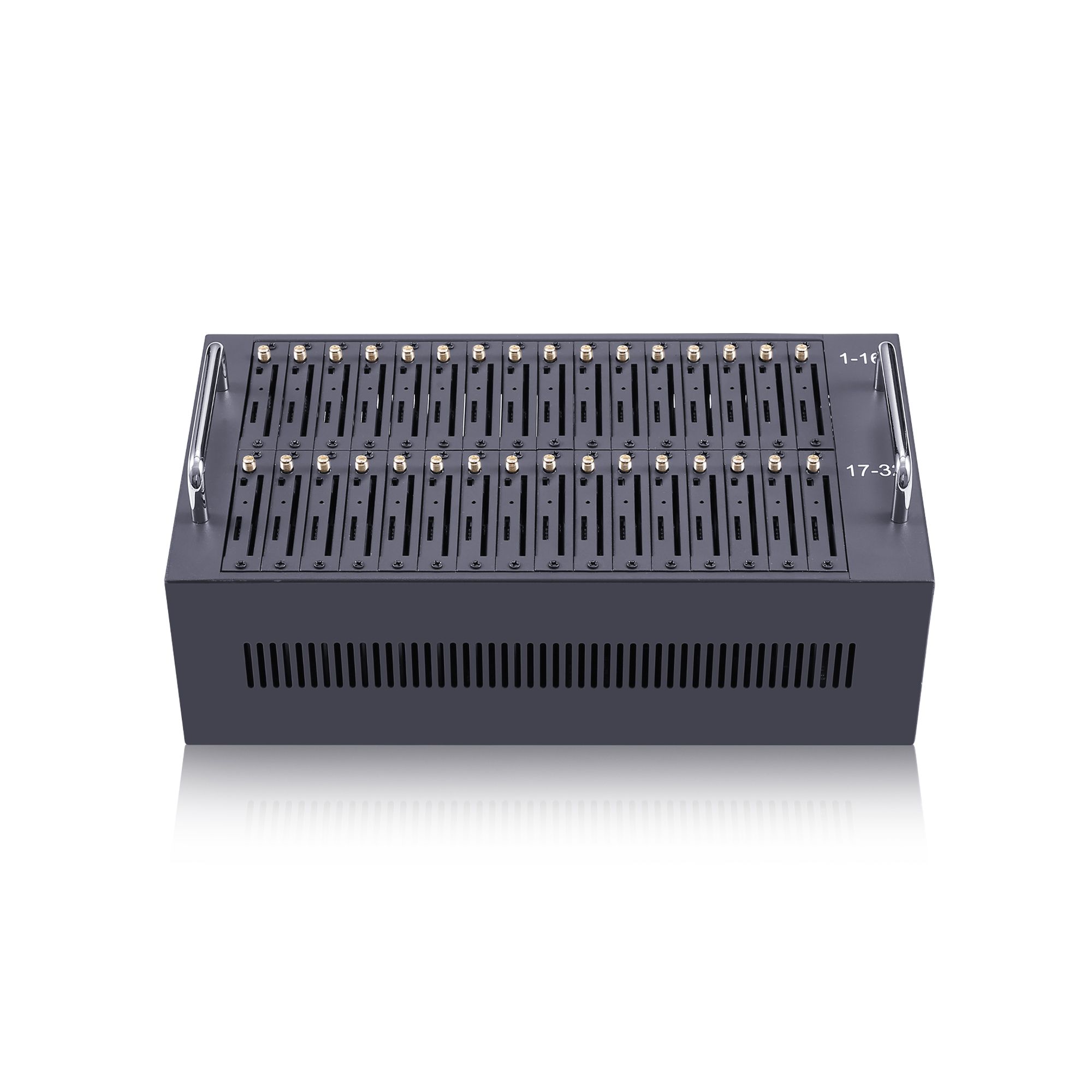
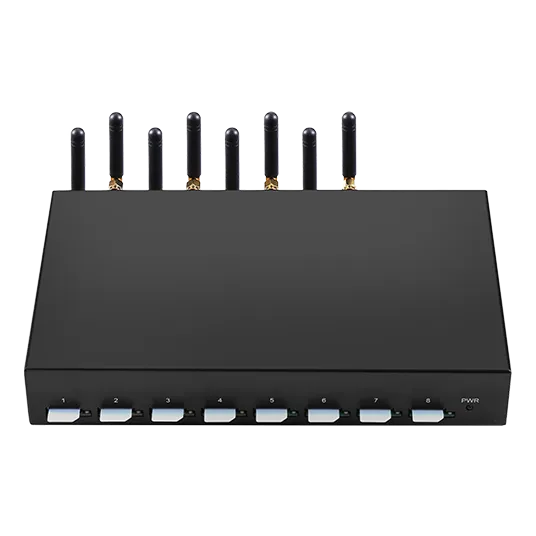
Rehearse the closure notice before you need it. Send your contact count, categories and escalation plan to service@telarvo.com, or review the published configurations on the SMS modem range and the SMS modem solution page. Telarvo publishes the SK-SMS gateway range, the TYH modem pools and the TGW SMS machine on its product pages, and the configurations referenced above come from those listings.
FAQ
Can parents opt out of school alert messages?
They can normally opt out of participation categories rather than of safety notices, and the preference record should reflect that distinction. A single opt-out that removes a guardian from closure notices produces exactly the failure the workflow exists to prevent, so keep the categories separate. Record which category each guardian has agreed to receive, because the answer is what the workflow is judged on. Review the categories at enrolment each year rather than only at first registration.
What is the best second channel after SMS?
One that reaches a different subset of guardians. A voice call reaches those who do not read messages promptly; a portal message reaches those who log in. For safety notices, run the second channel in parallel rather than in sequence, because the cost of an extra message is small compared with the cost of a guardian who did not hear.
How much detail should a safeguarding message contain?
Enough for the guardian to act, and no more. State the action and give a route to the detail through a channel the guardian authenticates into. Naming a child, a class or a circumstance in the message text discloses it to whoever is holding the device. Write the wording rule down and apply it to every template, because the failure is created by a single careless phrase. Test the template with the school office before a term starts.
How do we know which guardians were not reached?
From the delivery record produced by the send itself. That requires per-message status rather than a total, and a job that turns the record into a non-delivery list with an owner. Without it, a school knows how many messages went out and not who received them. Give the non-delivery list an owner and a next action, such as a telephone call, because a list nobody acts on is a report rather than a control.
{
“@context”: “https://schema.org”,
“@type”: “FAQPage”,
“mainEntity”: [
{
“@type”: “Question”,
“name”: “Can parents opt out of school alert messages?”,
“acceptedAnswer”: {
“@type”: “Answer”,
“text”: “They can normally opt out of participation categories rather than of safety notices, and the preference record should reflect that distinction. A single opt-out that removes a guardian from closure notices produces exactly the failure the workflow exists to prevent, so keep the categories separate. Record which category each guardian has agreed to receive, because the answer is what the workflow is judged on. Review the categories at enrolment each year rather than only at first registration.”
}
},
{
“@type”: “Question”,
“name”: “What is the best second channel after SMS?”,
“acceptedAnswer”: {
“@type”: “Answer”,
“text”: “One that reaches a different subset of guardians. A voice call reaches those who do not read messages promptly; a portal message reaches those who log in. For safety notices, run the second channel in parallel rather than in sequence, because the cost of an extra message is small compared with the cost of a guardian who did not hear.”
}
},
{
“@type”: “Question”,
“name”: “How much detail should a safeguarding message contain?”,
“acceptedAnswer”: {
“@type”: “Answer”,
“text”: “Enough for the guardian to act, and no more. State the action and give a route to the detail through a channel the guardian authenticates into. Naming a child, a class or a circumstance in the message text discloses it to whoever is holding the device. Write the wording rule down and apply it to every template, because the failure is created by a single careless phrase. Test the template with the school office before a term starts.”
}
},
{
“@type”: “Question”,
“name”: “How do we know which guardians were not reached?”,
“acceptedAnswer”: {
“@type”: “Answer”,
“text”: “From the delivery record produced by the send itself. That requires per-message status rather than a total, and a job that turns the record into a non-delivery list with an owner. Without it, a school knows how many messages went out and not who received them. Give the non-delivery list an owner and a next action, such as a telephone call, because a list nobody acts on is a report rather than a control.”
}
}
]
}