Compatibility questions rarely fail on the radio. They fail on the registration detail: which side initiates the SIP session, how the trunk is authenticated, and whether the private branch exchange expects a registration it never receives. A gateway that is fully standards-compliant can still take a day to integrate if the answering side of that conversation is unclear.
This guide treats Asterisk, FreePBX and 3CX as three different integration problems rather than one. It covers the configuration sequence for each, the codec and dual-tone decisions that affect whether digits survive the call, how to route inbound calls to extensions, and the registration failures that account for most of the support load in a new deployment. The signalling behaviour being configured is defined by RFC 3261, and the message sequences that platforms implement follow the examples in RFC 3665.
How do the three platforms differ for gateway integration?
They differ in who registers and where routing is defined.
Asterisk exposes the most direct control, FreePBX wraps that control in a graphical model, and 3CX constrains it to a supported device list.
| Item | Asterisk | FreePBX | 3CX |
|---|---|---|---|
| Configuration surface | Configuration files and dialplan | Graphical trunks and routes | Administrative console |
| Registration direction | Either side, set explicitly | Defined by the trunk type | Usually gateway registers to the PBX |
| Routing definition | Dialplan contexts | Outbound routes and inbound routes | Trunk rules and extension groups |
| Device latitude | Any standards-compliant device | Any device the trunk type supports | Supported device list |
| Typical integration effort | Highest, most transparent | Moderate | Lowest where the device is listed |
The practical implication is that the same gateway needs a different commissioning plan for each platform, and a plan copied from one to another usually produces a registration that never completes. Before configuring anything, establish three facts: which side registers, which side authenticates, and which side defines the number translation. Writing those three answers down prevents most of the ambiguity that follows.
How do you register a gateway with Asterisk?
Define the endpoint, the direction, and the context first.
Asterisk expects you to state the relationship rather than infer it, which is why it exposes more detail than the graphical platforms.
The sequence that works reliably is: define a peer or endpoint for the gateway with its address or its credentials; decide whether the gateway registers to Asterisk or Asterisk registers to the gateway, and configure both sides to match; place the endpoint in a context whose dialplan handles the numbers you expect; then add an outbound route that sends the numbers you dial towards that endpoint. Each step is verifiable in isolation, which is the advantage of the platform: a failure narrows to one step rather than to a general incompatibility.
Two details cause most of the friction. The first is the mismatch between an endpoint defined by address and a gateway that registers with credentials; the two approaches are not interchangeable and produce a session that appears to authenticate but never completes. The second is context: an endpoint placed in a context with no matching dialplan pattern will accept the call and then fail to route it, which looks like a gateway fault rather than a dialplan gap.
The official Asterisk documentation covers both details in more depth than a vendor note can, and it is the reference worth following when the two disagree.
How do you configure a FreePBX trunk?
Choose the trunk type first, then follow the model.
FreePBX removes most direct configuration but requires you to select a trunk type that matches how the gateway behaves.
The work breaks into four steps: create a trunk of the type that matches the gateway’s registration behaviour; create an outbound route that matches the dial patterns you will use, pointing at that trunk; create an inbound route that matches the numbers the gateway will present; and define the destination for those inbound calls, whether an extension, a ring group or an announcement. Where the gateway presents numbers in a format the inbound route does not match, calls arrive and are dropped, which is the most common FreePBX integration symptom.
Number format deserves explicit attention. Presenting a number with a country code when the route expects a national format produces a call that connects and then reaches nothing. Decide the canonical format for inbound presentation once, configure the gateway to produce it, and write the routes against it rather than writing routes to accommodate several formats.
How do you integrate with 3CX?
Start from the supported device list, not the specification.
3CX constrains the integration surface, which reduces effort where the device is listed and changes the project where it is not.
The first step is always to establish whether the gateway model appears on the platform’s supported list. If it does, follow the platform’s own configuration template, because templates encode the parameters the platform expects and deviating from them usually reintroduces the registration problems the template exists to remove. If it does not, plan for a generic SIP trunk configuration and expect to spend more time on registration behaviour than on routing.
Three items to confirm early: whether the gateway registers to the platform or the platform registers to the gateway; how the platform expects inbound numbers to be formatted; and which codecs the platform will negotiate. The third matters more than it appears, because a negotiated codec mismatch produces calls that connect but carry no intelligible audio, which is frequently misdiagnosed as a gateway fault.
Which codec and DTMF settings should you use?
Choose one codec, and carry digits in-band only if you must.
Codec and dual-tone negotiation decide whether the call is intelligible and whether keypad input reaches the platform.
For the codec, the safe starting point is a widely supported narrowband codec that both the gateway and the platform list as supported, with transcoding avoided where possible. Transcoding consumes resources on both sides and introduces a failure mode that is difficult to distinguish from a network problem. Where the deployment carries fax or modem traffic, the requirements change entirely and the codec must be chosen to accommodate it.
For keypad digits, the choice is between carrying them within the audio stream and signalling them out of band. In-band carries digits as tones, which survives simple paths but degrades when the audio codec compresses aggressively. Out-of-band signalling is more robust where both sides support it. The practical test is to dial a menu-driven service and press keys during the prompt; if digits do not register, the signalling method is usually the cause rather than the gateway.
Where the deployment is on an open-source stack, the documentation for FreeSWITCH, Kamailio and OpenSIPS describes how each handles codec negotiation and digit signalling, and reading the one you run is faster than experimenting on the gateway.
How do you route inbound calls to extensions?
Match the presented number, then map it to a destination.
Inbound routing is a matching problem, and most failures come from a mismatch between the presented number and the expected pattern.
The sequence is the same in all three platforms: define what the gateway will present, confirm the platform receives exactly that, then write the route against the received value. Verifying the received value is the step teams skip. Most platforms log the inbound invitation with the presented number, and reading that log before writing a route converts a guessing exercise into a configuration task.
Two design decisions belong here. The first is whether one number serves many destinations or each number maps to one. One-to-one mapping is simpler to operate and easier to explain to a customer; many-to-one mapping conserves numbers and moves the routing logic into the platform. The second is what happens when a route matches nothing. A default destination, even if it is an announcement, prevents calls from disappearing silently and gives the support team something to investigate.
What causes registration failures, and how do you diagnose them?
Most registration failures are one of four mismatches.
They appear as a gateway that will not register, and each has a distinct signature in the platform log.
- Registration direction. One side registers while the other expects to be registered to. The signature is repeated authentication attempts with no successful session.
- Credential mismatch. The username or secret differs by a character, often because it was entered twice by hand. The signature is an authentication failure rather than silence.
- Transport mismatch. One side uses a transport the other does not accept, so requests never reach the application layer.
- Address and network path. The registration attempt reaches the wrong interface, or the network address translation between the two changes the source in a way the platform rejects.
Diagnosing them in order is faster than changing settings at random. Confirm direction first, because it determines whether the other checks even apply. Then verify the credentials from the platform log rather than from the configuration page, since what is configured and what is sent can differ. Then confirm the transport. Only then investigate the network path, which is the most time-consuming to change and therefore the last to blame.
Keep a working configuration recorded once the integration succeeds, including firmware version, codec selection and the exact dial patterns. That record is what turns a future device replacement from a repeat integration project into a configuration copy.
Conclusion
The same gateway integrates differently with each platform because the platforms differ in who registers, where routing is defined and how much device latitude they allow. Establishing those three answers before configuration prevents the ambiguity that produces most failed integrations, and reading the platform’s own log rather than the gateway configuration resolves most of the remainder. Codec selection should avoid transcoding where possible, and digit signalling should be tested against a menu-driven service rather than assumed.
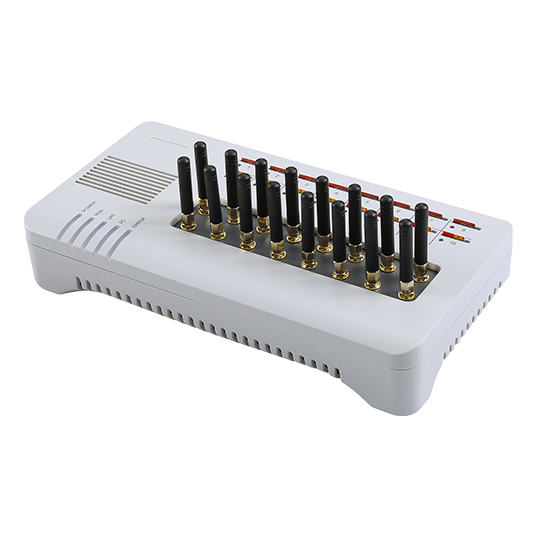
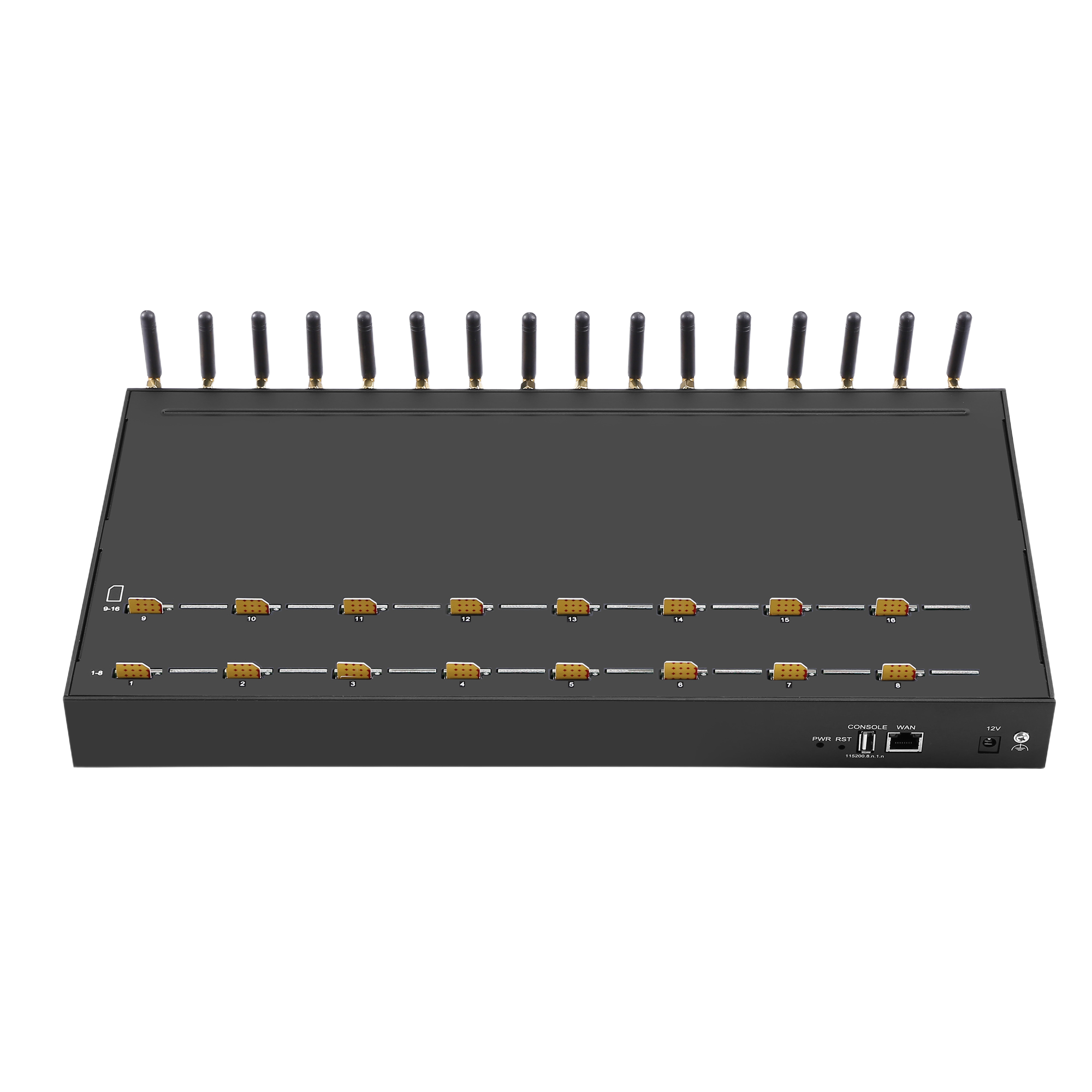
Where the deployment is new, the fastest path is usually to choose the gateway after choosing the platform, then follow the platform’s own configuration model rather than a device-side guide. The published SK VOIP Gateway 8-8 at $480.00 and the GOIP series from $100.00 cover the small and mid-range integrations most teams start with, and both register as SIP endpoints on a standard trunk. The numbering format that the ingress side of the call carries is defined by the ITU E.164 numbering plan, which is worth following when the presented number has to match a regulated format.
Confirm the registration model of your platform before you order. Send the platform you run, the trunk type you intend to use and your port requirement to service@telarvo.com, or review the published models on the VoIP gateway solution pages.
FAQ
Which PBX platform is easiest to integrate with a GSM gateway?
The one whose supported device list includes your model, because a template removes most of the registration ambiguity. Where the model is not listed, all three platforms require the same four decisions: registration direction, credentials, number format and destination. Platforms with more configuration latitude make those decisions visible rather than removing them, which shortens diagnosis when something fails.
Why does the trunk register but calls do not connect?
Registration and call routing are separate. A successful registration proves the session exists; it says nothing about whether a route matches the number being dialled. Check the outbound route pattern against the digits the gateway actually sends, and the inbound route against the number the gateway actually presents. Reading the platform log for the exact value received resolves this faster than changing gateway settings.
What causes one-way audio on a GSM gateway trunk?
One-way audio is normally a media path problem rather than a signalling one, and it appears when the two sides disagree about which address to send media to. Confirm the media address configuration on both sides, check whether a network address translation device sits between them, and verify that the codec negotiated is one both sides can process. Signalling logs usually show the negotiation even when audio fails.
Can one gateway serve several platforms at once?
It can where the gateway supports multiple independent trunks with separate credentials and routing, which the SK VOIP Gateway models do through their SIP configuration. The practical constraint is not the gateway but the number routing: sharing one SIM estate across two platforms means deciding which platform answers an inbound call, and that decision has to be explicit rather than resolved by whichever route matches first.