A bridge device exists for the equipment that was never going to speak IP. The obstacle in those projects is rarely the radio; it is the wiring, because an analogue interface behaves like a line rather than like a network connection, and the port you connect to determines which side supplies dial tone.
This guide covers the deployment side of a bridge: what the device connects to, how the two analogue interface types differ in wiring terms, when a single-channel unit is genuinely sufficient, how to keep a record of which physical port serves which line, and what to test before the old equipment is retired.
What does a bridge device connect to?
To a line or to a trunk, depending on the interface.
The connected equipment determines which role the bridge plays, and the role determines the wiring.
A bridge presents a cellular connection as an interface the existing equipment already understands. Where that equipment has a spare trunk port and expects the network side to be supplied, the bridge behaves like the network and supplies dial tone. Where it has a spare extension port and expects to be treated as a line, the bridge behaves like a telephone and seizes the line to dial. The two roles use different interface types, and connecting the wrong one produces silence rather than an error.
Establishing which role applies takes one question about the existing equipment: does it expect to receive calls on this port, or to make them. That answer determines both the interface type and the wiring, and it is worth confirming against the equipment’s own documentation rather than from the shape of the connector.
How do the two analogue interface types differ in wiring?
One supplies dial tone; the other expects it.
The difference is which side is active, and the practical consequence is that only one of them will work on a given port.
| Interface | Behaviour | Connects to |
|---|---|---|
| Subscriber-line emulation | Supplies dial tone, accepts a call from the connected device | A spare trunk port expecting the network side |
| Office-line connection | Seizes the line and dials, expecting dial tone to be supplied | A spare extension port expecting a line |
| SIP | Neither; the call is a signalling exchange | A platform that accepts a trunk endpoint |
Two practical points follow. The first is that a bridge intended for legacy equipment should be specified by the interface the equipment offers, not by the model name. The second is that where the equipment has both types of port available, the choice affects the integration rather than only the wiring: a trunk port presents calls as inbound line traffic, while an extension port makes the bridge behave as a device on the switch.
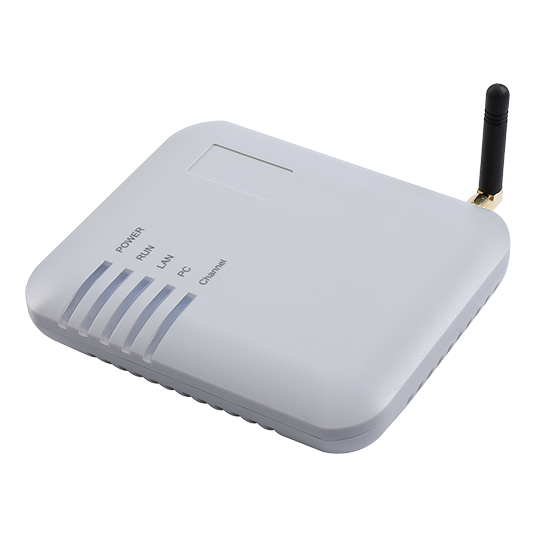
Where the equipment has no spare ports of either type, the arithmetic usually favours replacing it. Adding conversion hardware to keep old equipment in service frequently costs more than a small SIP gateway plus a modern platform, and it preserves the analogue failure modes rather than removing them. The published GOIP1 at $100.00 and the SK VOIP Gateway range from $260.00 upward make that comparison inexpensive to run.
When is a single-channel device sufficient?
When the requirement is a few lines, not a call centre.
The smallest tier is often dismissed before the requirement has been counted.
A single-channel bridge provides one conversation path. That is sufficient for a backup route, a single outbound line for a small office, a remote location with one telephone, and a test position for validating an integration before committing to a rack deployment. It is not sufficient for anything expressed in terms of concurrent calls, because concurrency is a requirement for more channels by definition.
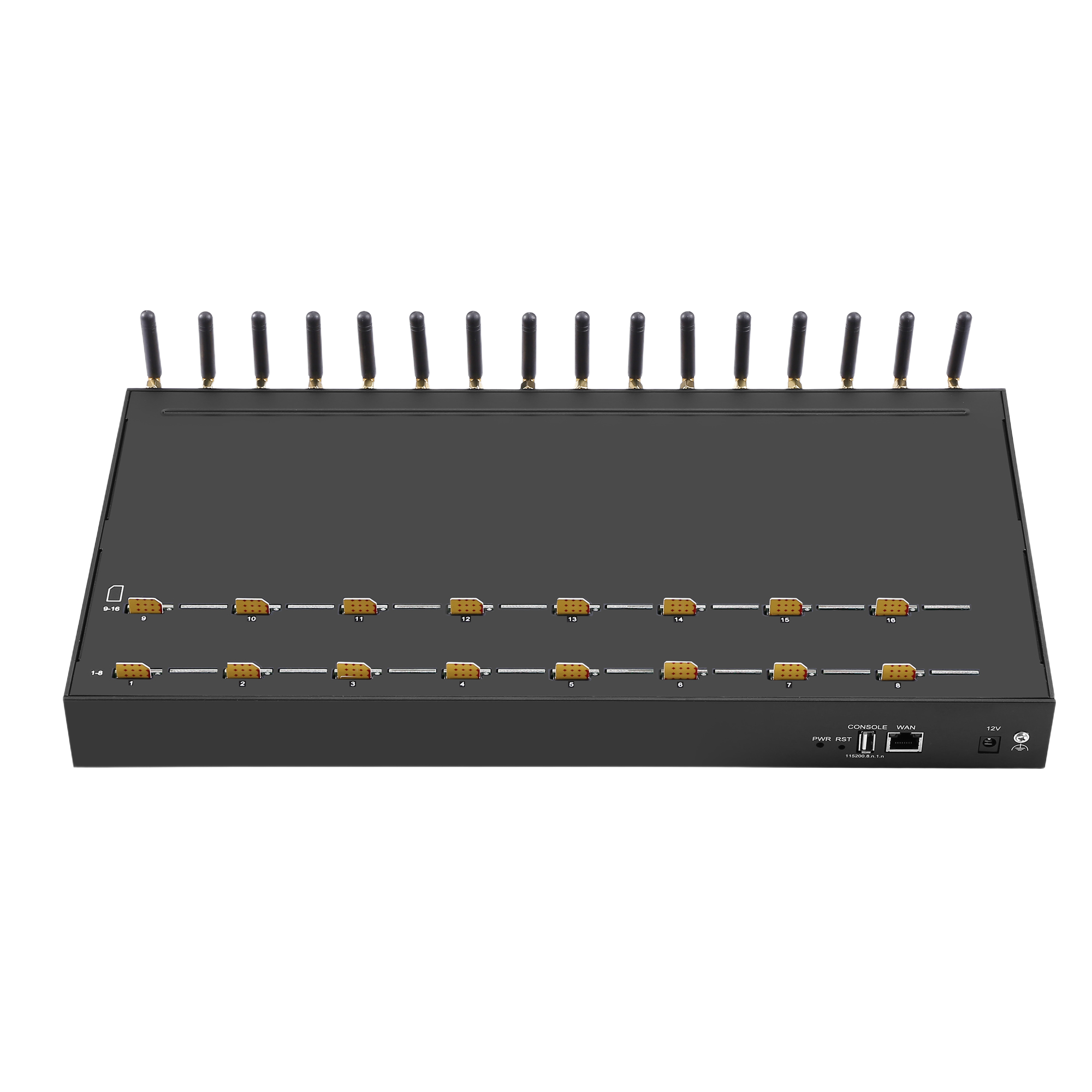
The counting method is the same at every tier: how many people may be on a call at the same moment, plus one for calls in teardown. A site with one telephone needs one channel; a site with two people who may both be on external calls needs three. Where that count reaches the tier’s ceiling, the next tier is the answer, and the step from one channel to eight costs $278.00 at published prices.
How do you map analogue ports to logical lines?
Write it down at installation.
Legacy equipment frequently cannot report which physical port serves which line, so the mapping has to exist outside it.
Three practices make the mapping usable. Label the physical ports at installation and record the label in the device configuration, so that the two agree. Record which line or destination each port serves, because that is the information a fault investigation needs first. And keep the record with the deployment documentation rather than with the equipment, so that a replacement does not lose it.
The consequence of omitting this is specific: a fault on one line becomes an exercise in physical tracing, and the tracing risks disturbing working connections. On a small deployment that is an inconvenience; on one with several ports it is the difference between a five-minute fix and an hour of work.
What should be tested at commissioning?
One call each way, then the failure paths.
Analogue wiring faults produce no log entry, so the first test is whether the call reaches anything at all.
- Physical connection. Confirm the interface type matches the port, with the correct cable for that interface.
- Outbound call. Place a call from the legacy equipment and confirm it appears in the platform log with the expected number.
- Inbound call. Call the number and confirm it reaches the intended extension on the legacy equipment.
- Audio, both directions. Confirm audio flows each way, which is a separate check from signalling.
- Digit signalling. Dial a menu-driven service and press keys during the prompt, which tests whether digits survive the path.
- Cellular loss. Remove a SIM from service and confirm the legacy equipment behaves as designed rather than silently failing.
Items four and five are the ones that catch analogue-specific faults, because a wiring error can produce a call that connects with audio in one direction only, or digits that do not register. Both are frequently misattributed to the carrier, and both are resolved by checking the interface and the signalling method rather than the radio.
What causes one-way audio on an analogue interface?
Usually the interface or the signalling method.
The symptom appears once the call connects, which places the fault after the setup rather than in it.
Three causes account for most instances. An interface mismatch, where the connected equipment expects to supply dial tone and the bridge also supplies it, producing a call that sets up but carries no usable audio. A wiring fault on one pair of the connection, which affects one direction only. And a digit or signalling configuration that interferes with the audio path on some equipment, which appears as intermittent rather than continuous.
The diagnosis order follows from those causes. Confirm the interface type first, because a mismatch explains the symptom completely and is a configuration rather than a fault. Then verify the wiring against the equipment’s documentation, including which pair carries which direction. Only then investigate cellular conditions, because one-directional radio quality produces a similar symptom and is the most expensive to change.
Where the deployment is built on an open-source platform, the documentation for Asterisk or FreeSWITCH describes how media parameters are negotiated, and the signalling being configured is defined by RFC 3261.
What should be recorded for handover?
Port mapping, interface types, and the test results.
The record is what allows a later fault to be located without physical tracing.
| Item | What to record |
|---|---|
| Interface types | Which interface each port presents, and why |
| Port mapping | Physical port to line and destination |
| Wiring convention | The cable and pair convention used at each connection |
| Number format | The presentation used, and where translation happens |
| Versions | Gateway firmware and platform version at acceptance |
| Test results | Both call directions, audio, digits, and the failure-path result |
Where the integration must satisfy an equipment framework, the ETSI standards catalogue covers the network and equipment side of the same specification work, and the numbering conventions the carrier expects are described under the ITU Recommendation E.164 numbering plan.
Where the legacy equipment is replaced rather than bridged, the port mapping record becomes the migration plan, because it states which line served which destination and therefore what the replacement has to reproduce.
Conclusion
A bridge device is specified by the interface the existing equipment offers rather than by the model name, and the two analogue interface types are not interchangeable: one supplies dial tone and the other expects it. Establishing which role applies is the first step, and getting it wrong produces a call that connects without usable audio rather than a clear error.
Single-channel units are sufficient wherever the requirement is a line rather than concurrency, and the counting method is identical at every tier. Recording the port-to-line mapping outside the legacy equipment is what keeps a later fault diagnosable, because the equipment frequently cannot report it, and the published entry points from the GOIP1 at $100.00 and the SK VOIP Gateway range at $260.00 make the comparison with replacing the equipment inexpensive to run.
Confirm the interface type before ordering a bridge. Send your legacy equipment model, available ports and call requirement to service@telarvo.com, or review the published models on the VoIP gateway solution pages.
FAQ
How do I know which analogue interface I need?
Ask whether the connected equipment expects to receive calls on that port or to make them. If it expects the network side to be supplied, the bridge must supply dial tone; if it expects to be treated as a line, the bridge must seize the line and dial. Confirm against the equipment’s own documentation, because the connector shape does not indicate which role applies.
Can I connect a bridge to equipment that has no spare ports?
Not directly, and the comparison usually favours replacing the equipment. Adding conversion hardware to keep legacy equipment in service frequently costs more than a small SIP gateway plus a modern platform, and it preserves the analogue failure modes rather than removing them. Entry points at $100.00 and $260.00 make that calculation inexpensive to run.
Why does the call connect but carry audio in one direction only?
Usually an interface mismatch or a wiring fault rather than a radio problem. Confirm the interface type first, because a mismatch where both sides supply dial tone explains the symptom completely. Then verify the wiring against the equipment documentation, including which pair carries which direction. Only then investigate cellular conditions at the installed position.
What should be documented about a bridge installation?
The interface type each port presents, the mapping from physical port to line and destination, the wiring convention used, the number format, the firmware and platform versions, and the acceptance test results. Legacy equipment frequently cannot report the port mapping, so recording it externally is what turns a later fault into a five-minute diagnosis rather than physical tracing.